Light Meter
WBPhotoPhotography
4.471.00 Reviews
- Version
- 3.9-2026-05-02T00:56Z
- Installs
- 10.00K
- Age Rating
- Everyone
Screenshots
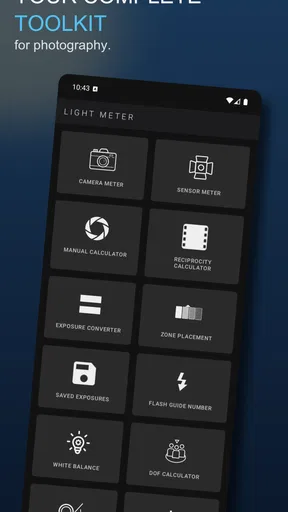
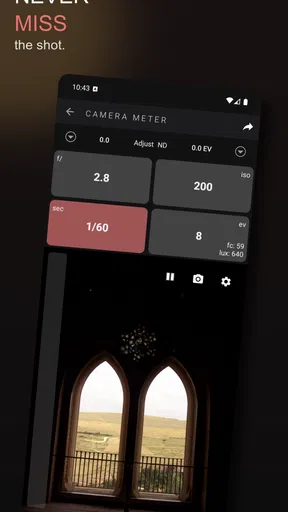
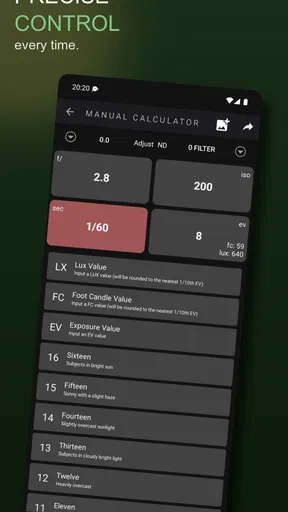
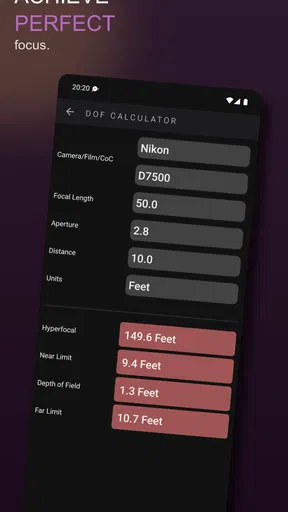
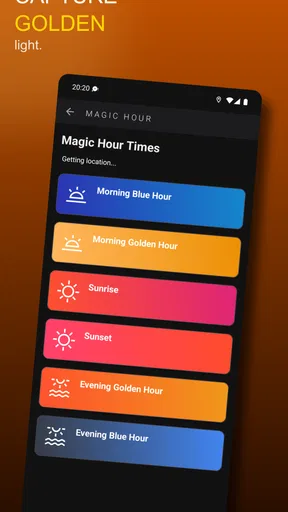
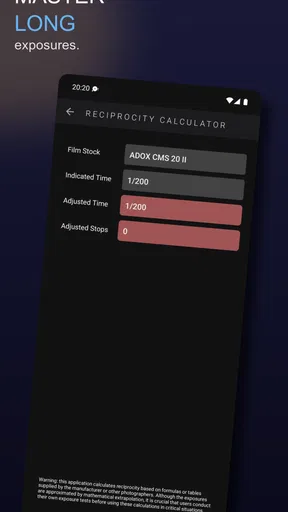
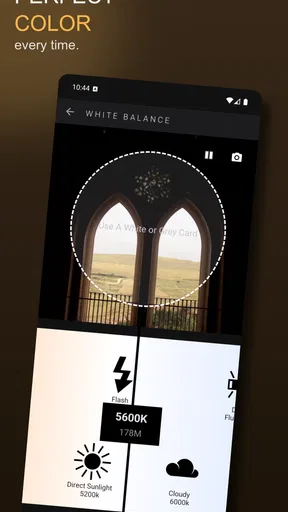
Our Review of Light Meter
 Analysis by Appyee
I judge a light-meter app less by how many readings it can show than by whether it helps me make a better exposure decision before the moment passes. Light Meter is aimed at photographers who want a quick way to assess illumination with a phone, rather than carry a separate meter for every casual shoot. Its appeal is practical: check the light, make an adjustment, and get back to framing. That simplicity is useful, but it also means I treat the readings as guidance, not as a substitute for knowing how my camera responds.
Quick checks, not a replacement for camera judgement
For a photographer moving between a bright window and a shaded corner, speed matters more than a deep menu of controls. In ordinary use, the app’s readings update promptly, so I can take a reading, shift my position, and compare the change without turning a lighting check into a separate task. That makes it most useful before a shot or during setup, when a rough assessment can help me decide whether to change exposure, reposition a subject, or add light.
I would not assume that a fast-changing display guarantees a camera-grade measurement. A phone’s sensor and camera are not the same thing as a dedicated incident meter, and the result can depend on the device and how it is aimed. I use a reading as a consistent reference for a particular setup: take it from the same place, point it the same way, and compare before and after adjustments. That workflow is more dependable than treating a single number as universally correct.
That distinction matters especially when photographing a face near a window. A reading taken toward the window may describe the bright background, while a reading made near the subject can better inform the light falling on the face. Moving the phone a short distance or changing its direction may alter the result. I find that using the app deliberately—rather than waving the phone around—makes it easier to turn a measurement into a useful decision.
When a shoot puts the meter to work
The app is more valuable during a small sequence of related shots than as a novelty used once. Suppose I am photographing a still life at home and clouds keep changing the daylight. I can check the scene between frames and see whether the illumination has shifted, then decide whether to adjust the camera or wait for the light to settle. The measurement history can help me notice the direction of a change, though it does not remove the need to check the actual image and exposure.
For video, a quick reading can help me keep a simple setup more consistent while I move a subject or alter a lamp. I would still review the camera’s own exposure tools before recording: a phone-based meter cannot account for every camera setting, lens, or change in framing. In a controlled setup, the app is a convenient reference; in a fast-moving scene, it is one more check rather than a guarantee that every clip will match.
There is also a useful distinction between measuring a room and measuring a photographic subject. If I am deciding whether a desk feels dim, a light reading can give me a point of comparison as I move a lamp or change the time of day. For exposure decisions, I care more about the light at the subject than a room-wide impression. Taking readings from a few relevant positions can prevent a bright patch near a window from misleading me about the rest of the setup.
Where it fits among photography tools
WBPhoto’s app sits between a camera’s built-in meter and a dedicated handheld meter. The camera meter is usually the quickest option when I am already composing a shot, because it measures through the camera’s actual imaging system and reflects the exposure settings I am using. A separate meter can be a better choice for demanding work where repeatability and a purpose-built measuring tool matter. This app’s advantage is convenience: it gives me a light reference without adding another piece of kit to carry.
That convenience comes with a trade-off. A phone-based result should not be treated as laboratory precision, especially in challenging or uneven light. Calibration can make comparisons more meaningful, but it is worth approaching it carefully: compare against a trusted reference under stable conditions, and avoid changing calibration casually between sessions. Otherwise, differences between readings may reflect the adjustment rather than a real change in the scene.
One practical habit is to keep the measuring position and orientation consistent when comparing setups. Another is to make a test exposure and inspect the image instead of relying on the app alone. These small checks are particularly helpful when highlights are important, such as a bright window behind a portrait, or when shadows carry detail I do not want to lose. The app can inform a choice; the camera preview confirms whether that choice worked.
Getting Started with Light Meter
Setting up the Light Meter app was a breeze. Available on both Android and iOS, it’s a quick download and doesn’t demand much space on your phone. As soon as it’s installed, you’re greeted with a straightforward interface that’s refreshingly easy to navigate. No complex jargon or unnecessary steps; it’s all about getting you to measure light without a fuss.
Features That Shine
Now, let’s dive into what makes this app a must-have. The Light Meter utilizes your phone’s camera to measure the light intensity in lux. You can switch between different modes, like spot metering and incident metering, which is perfect if you’re a photography enthusiast or simply someone who’s curious about the lighting conditions around you.
One of the standout features is the calibration option. It allows you to adjust the sensor settings, ensuring that your readings are as accurate as possible. I found this particularly handy when comparing readings from different devices. Plus, there’s a nifty little graph that tracks your light measurements over time, which is excellent if you’re experimenting with various lighting setups.
User Experience
Using the app feels intuitive. The design is minimalistic, which I appreciate because it keeps distractions at bay. You can easily switch between settings, and the readings update almost instantly. The app also supports multiple units of measurement, so whether you’re a fan of lux, foot-candles, or even EV, you’re covered.
One thing I did notice is how the app handles low-light situations. It occasionally struggles to provide accurate readings in dimly lit environments. However, for everyday use, especially in well-lit areas, it performs splendidly.
The low-light limitation is worth planning around rather than trying to solve by trusting a shaky reading. If a scene is very dark, I would compare several readings and use the camera’s exposure preview or a test frame to make the final call. A brighter phone display does not make the sensor more capable, and a small change in where the phone is pointed can matter more when the light is scarce. For a night shoot where accuracy is central, a dedicated meter or the camera’s own metering is the safer choice.
Reliability over a longer session
For a short check, a straightforward interface and responsive readings are the right kind of performance: I can concentrate on the subject instead of hunting through controls. In heavier use, such as documenting a lighting setup across several positions, the graph and calibration options make the app more than a one-off novelty. I would still keep the phone steady and repeat a reading if the number changes unexpectedly. That is a sensible routine for any phone-based measurement tool, not a sign that every fluctuation represents a genuine change in the light.
I also avoid making a critical exposure decision from a single reading when the scene contains both bright and dark areas. A spot reading can be useful when I deliberately want to assess one part of the scene, while an incident-style reading is more relevant when I want to understand the light falling on the subject. Choosing the wrong approach can produce a precise-looking number that answers the wrong question. In practice, deciding what I am measuring is just as important as reading the display.
For repeat work, a simple note about the phone position, measurement mode, and lighting arrangement makes the history more useful. The graph can show a trend, but it cannot tell me why the light changed. If I move a lamp, turn a subject, or let daylight shift, recording that change in my own workflow keeps comparisons meaningful. This is especially handy when recreating a small tabletop setup on another day.
Device fit, cost, and who should choose it
Light Meter is a photography app from WBPhoto, with a 4.4 average from around 443 ratings and over 10,000 installs. It costs $5.99, carries an Everyone age rating, and has been available since January 6, 2017. Its current version is 3.9, and it requires Android 8.0 or later. Those details make it important to check that an older Android phone meets the minimum before buying; on iOS, I would check compatibility in the relevant app store before installing.
The phone itself is part of the measuring setup, so I would not expect identical results across every device. If I use two phones, I would calibrate and compare them under the same stable light rather than assume their sensors agree. The same goes for switching units: lux, foot-candles, and EV are useful in different workflows, but changing the display unit does not make an uncertain measurement more reliable. For demanding work, I would first test the app against a reference I trust.
The paid price makes the decision less casual than trying a free utility. I think it makes most sense for someone who takes photographs often enough to benefit from repeatable light checks, or who wants to learn how lighting changes across a room. Someone who only needs a rough sense of whether a space is bright could use a free alternative or simply rely on the camera preview. A photographer whose work depends on tightly controlled exposure may be better served by a dedicated meter, despite the extra equipment.
If you are choosing between this and another phone light-meter app, I would compare the measuring modes, calibration approach, and ease of taking repeat readings—not just the visual design. For occasional reference checks, a simple free app may be adequate. For film photography, where there is no immediate digital preview, I would be especially careful to test any phone meter in familiar lighting before trusting it on an important roll. The app can be a practical companion, but a controlled test is a better introduction than a high-stakes first use.
Who Is It For?
If you’re into photography, this app might just become your best bud. It helps you understand how light affects your shots, guiding you to make adjustments for that perfect capture. Even if photography isn’t your thing, it’s a fantastic tool for anyone curious about lighting in their environment, be it for setting up a cozy reading nook or optimizing your workspace lighting.
For those who dabble in videography, having a tool like this to quickly assess your lighting conditions can be a game changer. It’s like having a pocket-sized lighting assistant that’s always ready to help you create that cinematic magic.
I would particularly recommend it to a learner who wants to connect a lighting change with a visible result. Try taking a reading at the subject, move a lamp slightly, and take another from the same position; then make a test photograph and compare the outcome. That repeated process teaches more than collecting isolated values. It also helps explain why a room that looks bright to the eye may still leave a camera struggling with a subject in shadow.
On the other hand, I would skip it if I wanted an automatic camera app that makes exposure decisions for me, or if I needed guaranteed precision without checking against my equipment. This is a measuring aid, not a replacement for camera controls, lighting experience, or a specialized meter. Casual users who rarely adjust exposure may not get enough benefit to justify the price, while someone who enjoys experimenting with light is more likely to find a place for it in a regular kit.
Final Thoughts
After spending some time with the Light Meter app, I can honestly say it’s a keeper. It’s simple, effective, and most importantly, it does what it promises without any unnecessary frills. Whether you’re a pro or just someone who loves playing around with light, this app is a great addition to your digital toolkit.
In a world where lighting can make or break your perfect picture, having a reliable light meter in your pocket is a huge advantage. So, if you’re keen on getting your lighting just right, I’d definitely recommend giving this app a whirl. Happy lighting!
My final view is that its strongest case is convenience, not absolute authority. I would keep it on hand for everyday photography, practice sessions, and quick comparisons between lighting arrangements, while turning to the camera meter or a dedicated instrument when the shoot leaves little room for error. The combination of several measuring modes, calibration, multiple units, and a history graph gives curious photographers useful ways to explore light, but the quality of the result still depends on the phone and the person taking the reading.
Before relying on it for a paid assignment, a film roll, or a carefully balanced video scene, I would spend time checking its readings against my usual equipment in familiar conditions. That small bit of preparation answers the practical question of whether it suits a particular phone and workflow. If those checks line up well enough for the work I do, the convenience is compelling; if they do not, a dedicated meter is the more sensible choice. For photographers who want an accessible tool to think more deliberately about exposure, this is a useful option with clear limits rather than a magic fix.
Verdict
Strengths of Light Meter
- Accurate light readings for photography.
- User-friendly interface with clear instructions.
- Supports multiple measurement modes.
- Quick calibration for enhanced accuracy.
- No intrusive ads or pop-ups.
Limitations of Light Meter
- May require in-app purchases for full features.
- Limited support for older devices.
- Occasional minor bugs in low-light conditions.
- Requires camera access for functionality.
- No cloud backup for saved data.
Similar Picks in This Category
View All
Google Photos
Google LLC4.4

Gallery
Google LLC4.2

Picsart AI Photo Editor, Video
PicsArt, Inc.3.9

B612 AI Photo&Video Editor
SNOW Corporation4.1

BeautyPlus-Selfie Photo Editor
PIXOCIAL TECHNOLOGY (SINGAPORE) PTE. LTD.4.5

Remini - AI Photo Enhancer
Bending Spoons4.1
Frequently Asked Questions
What is the primary function of the Light Meter app?
The Light Meter app is designed to measure the intensity of light in a given environment. It uses the phone's camera sensor or a dedicated light sensor, if available, to provide accurate readings. This tool is particularly useful for photographers, cinematographers, and anyone needing precise light measurements for various tasks.
How accurate are the readings provided by the Light Meter app?
The accuracy of the Light Meter app largely depends on the quality of your device’s sensors. Most modern smartphones provide fairly accurate readings, but it's important to note that results may vary slightly between different devices. For critical tasks, it’s advised to compare the app’s readings with a professional light meter.
Can the Light Meter app be used for professional photography?
Yes, the Light Meter app can be a valuable tool for photographers, especially those who require quick and convenient light measurements. While it may not replace a dedicated professional light meter in all scenarios, it offers a practical solution for on-the-go adjustments and settings in various lighting conditions.
Does the Light Meter app require an internet connection to function?
No, the Light Meter app does not require an internet connection to perform its primary function. It relies on your device’s internal sensors to measure light intensity. However, an internet connection may be needed for features like app updates, cloud storage integration, or sharing measurements.
Is the Light Meter app compatible with all Android and iOS devices?
The Light Meter app is compatible with a wide range of Android and iOS devices, but functionality may vary based on the hardware capabilities of your device. Older models with less advanced sensors may experience reduced accuracy. It’s always a good idea to check the app’s requirements before downloading.
